Virtual Staging for Real Estate Listings
Real before/after transformations from CasaNova Labs, followed by pricing, disclosure guidance, and everything else you need before you list.
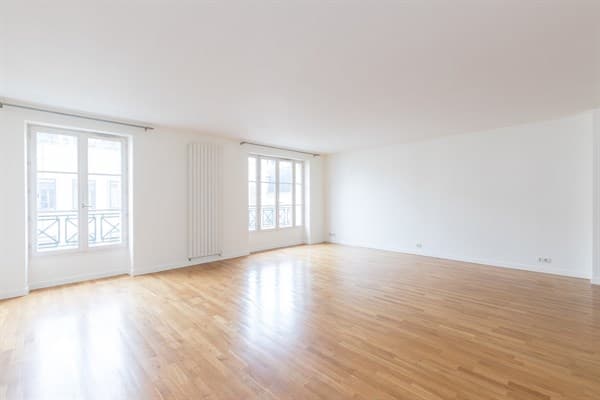 Before
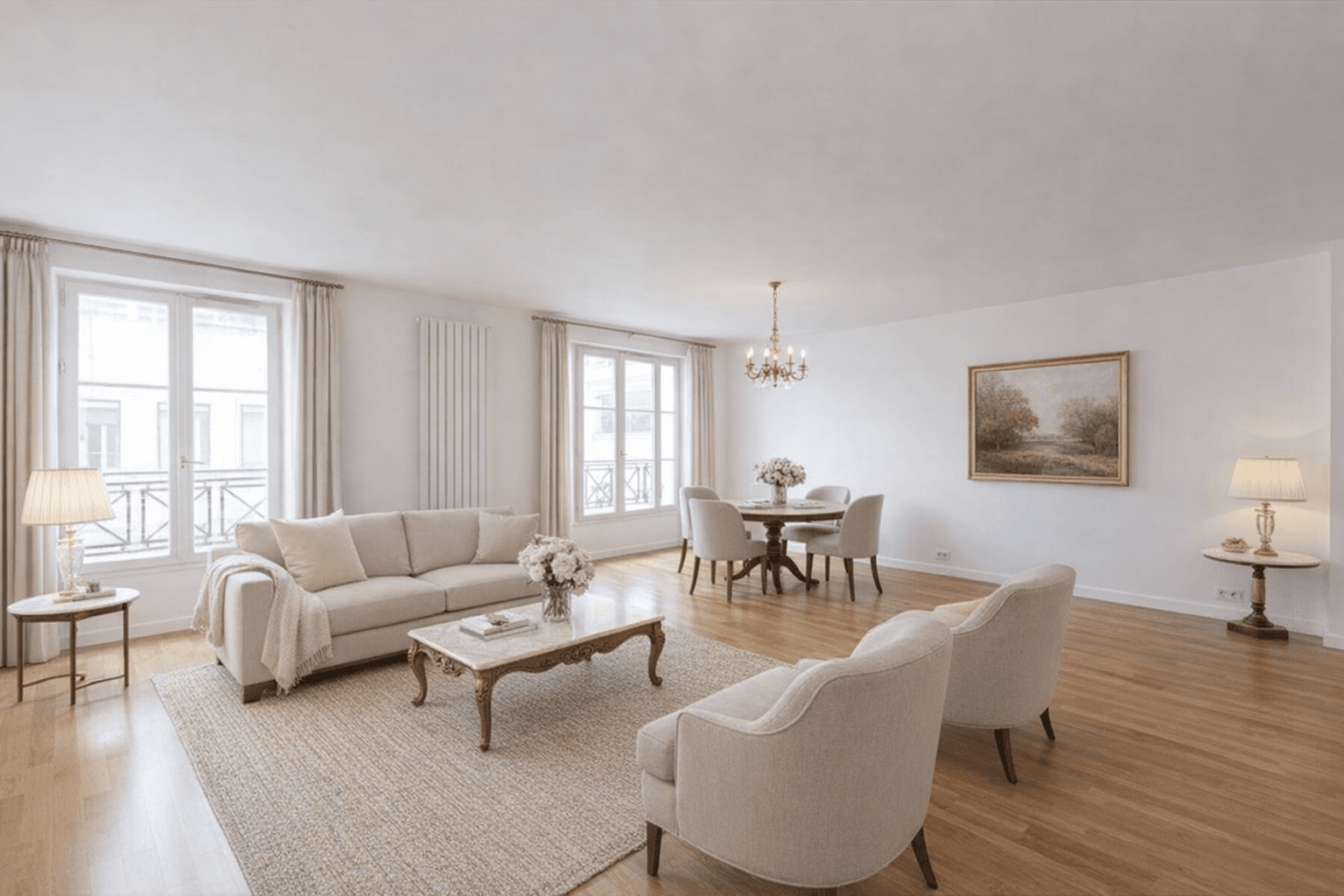 After
AfterFurnish an empty room
Empty living room furnished for the listing photo, camera angle preserved.
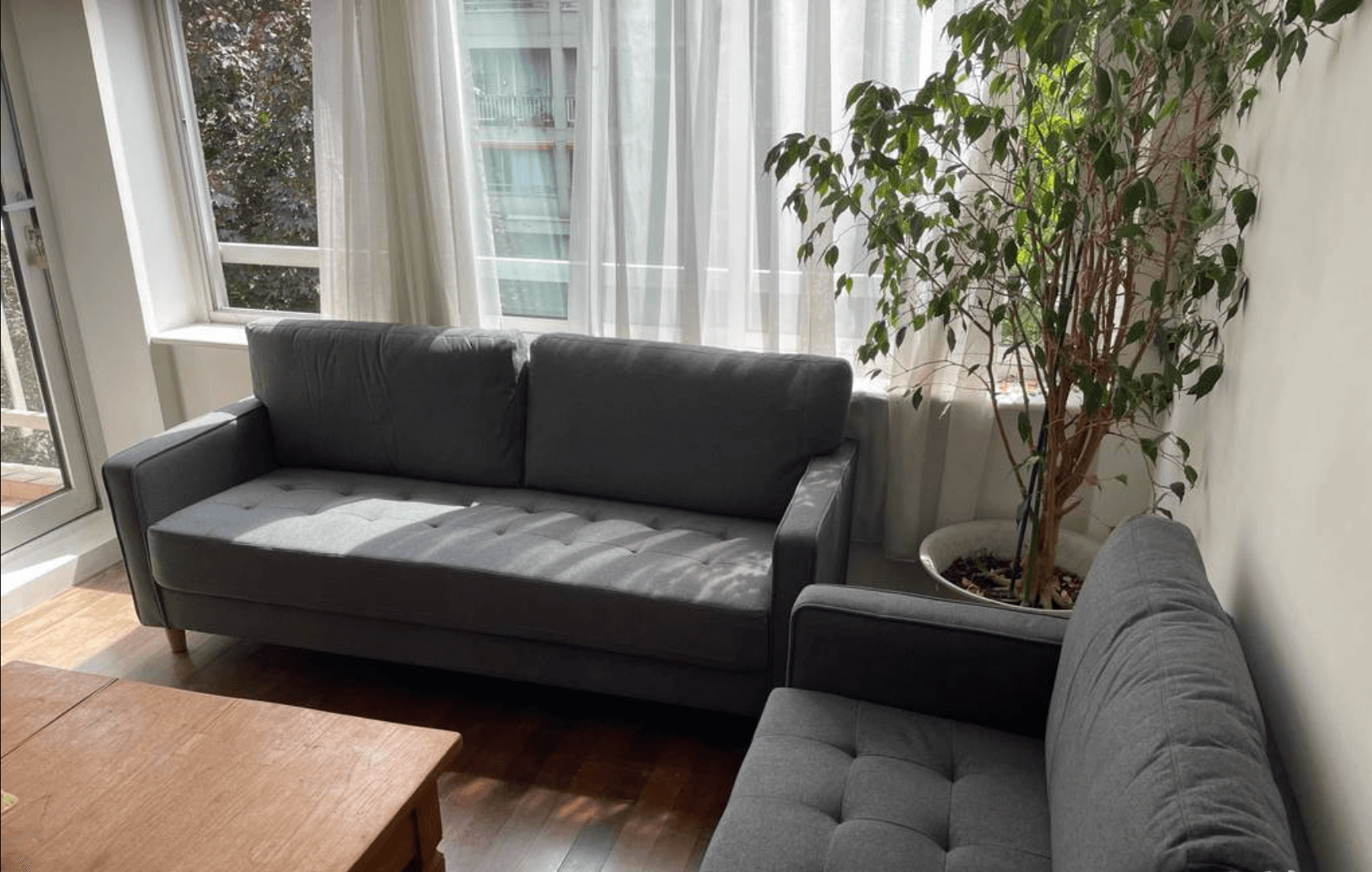 Before
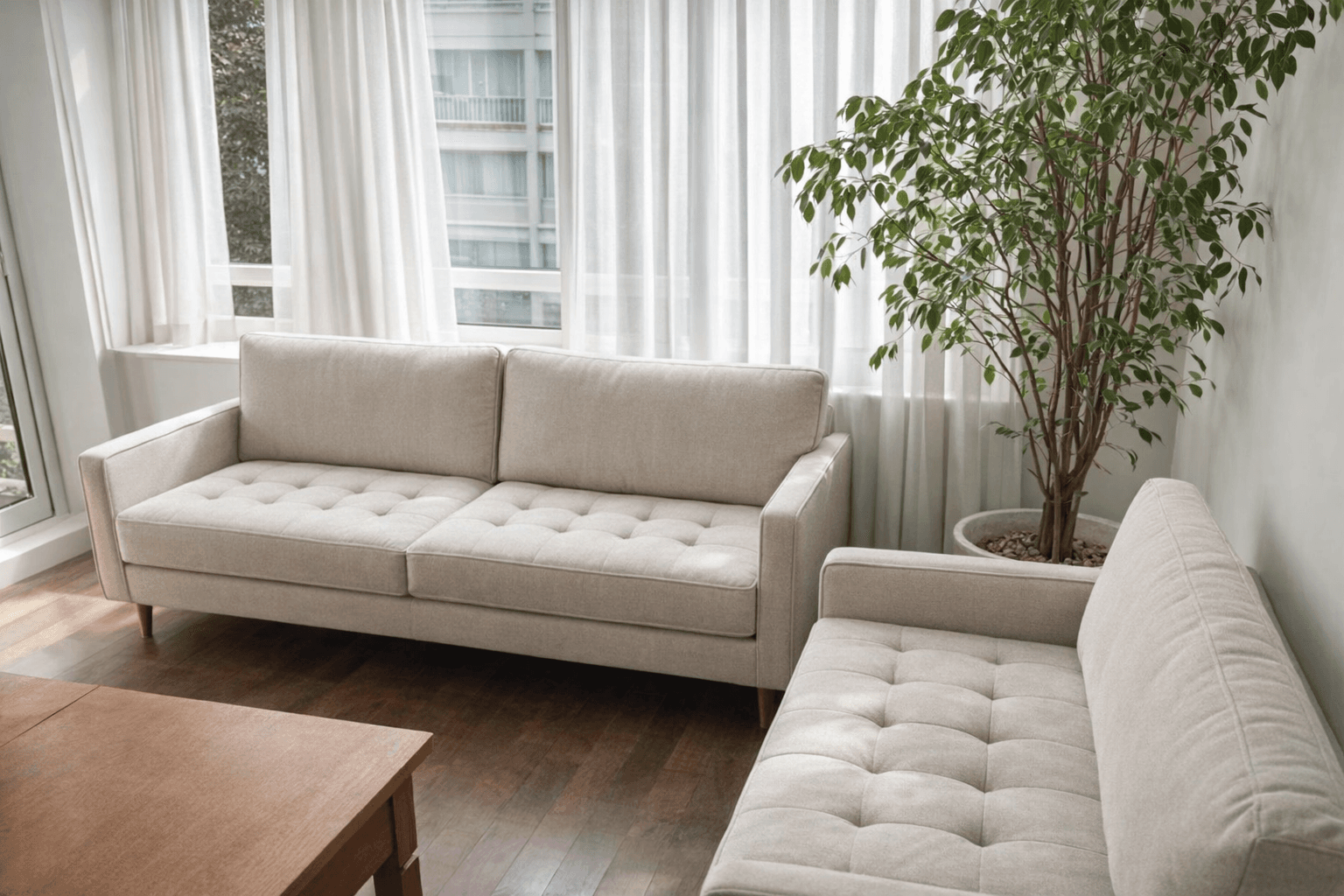 After
AfterRestyle furniture that's already there
Existing sofas swapped for a lighter palette; room, window, and camera angle untouched.
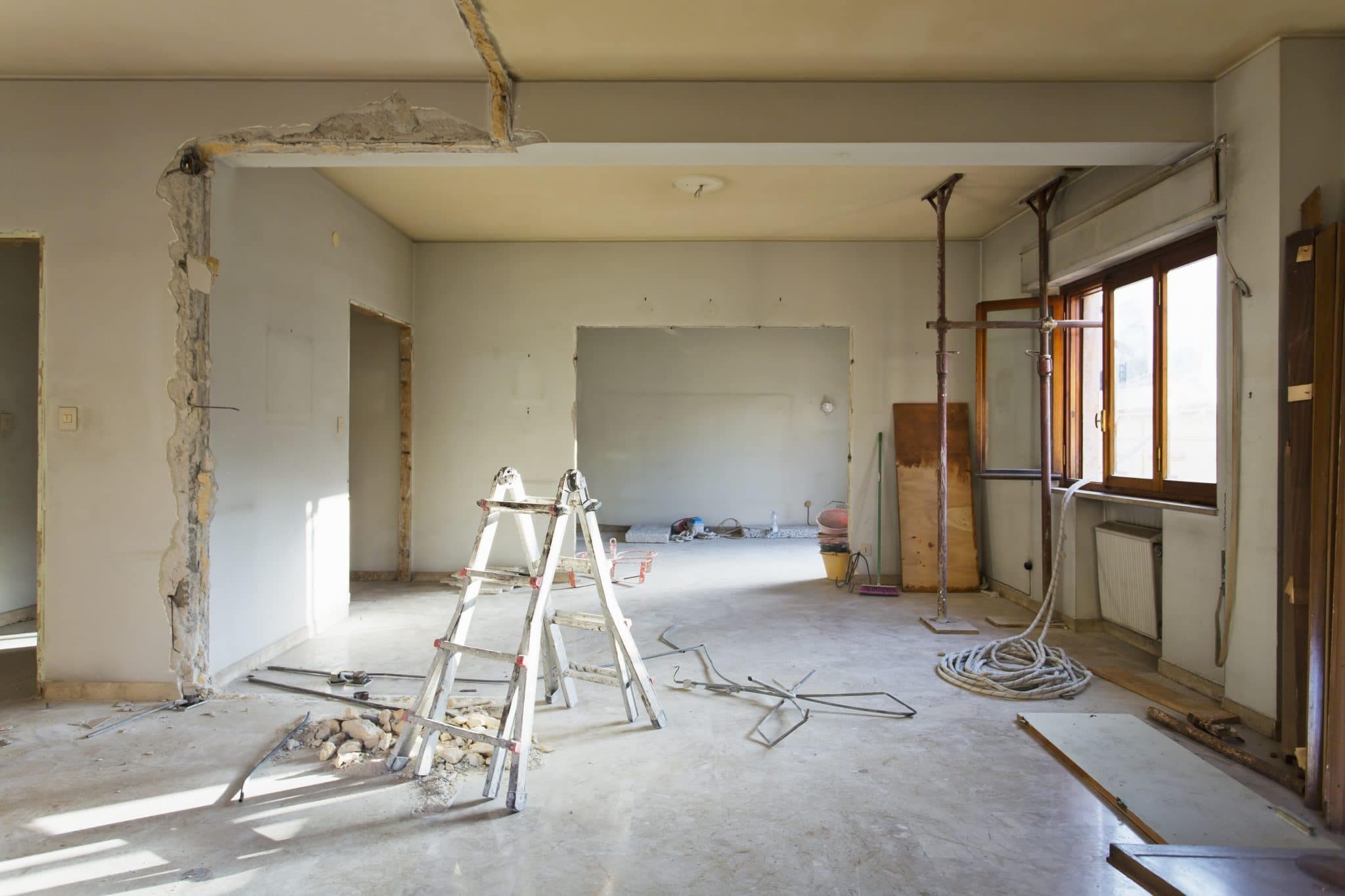 Before
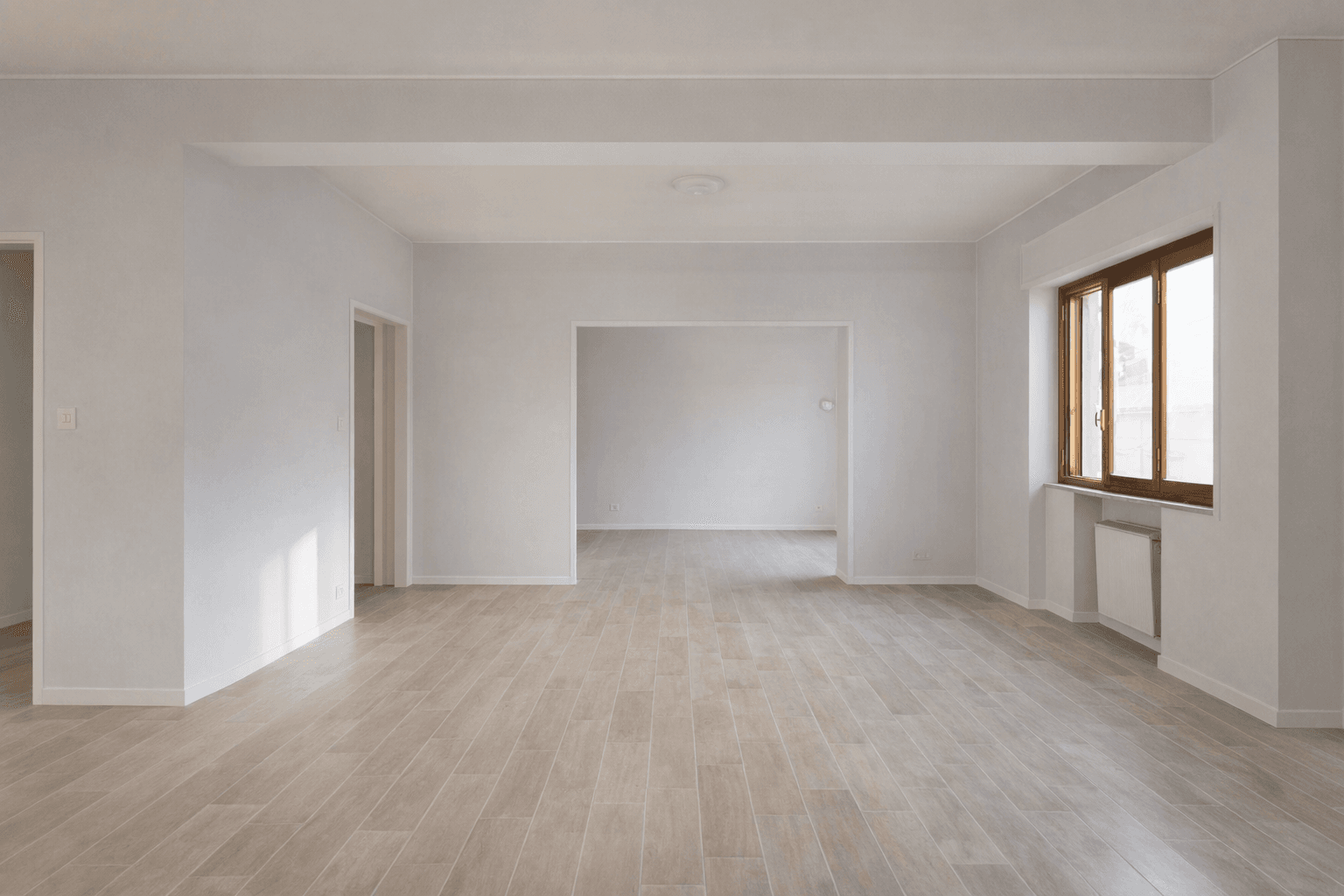 After
AfterFinish an unfinished room
Walls, flooring, and lighting completed without changing the room's layout.
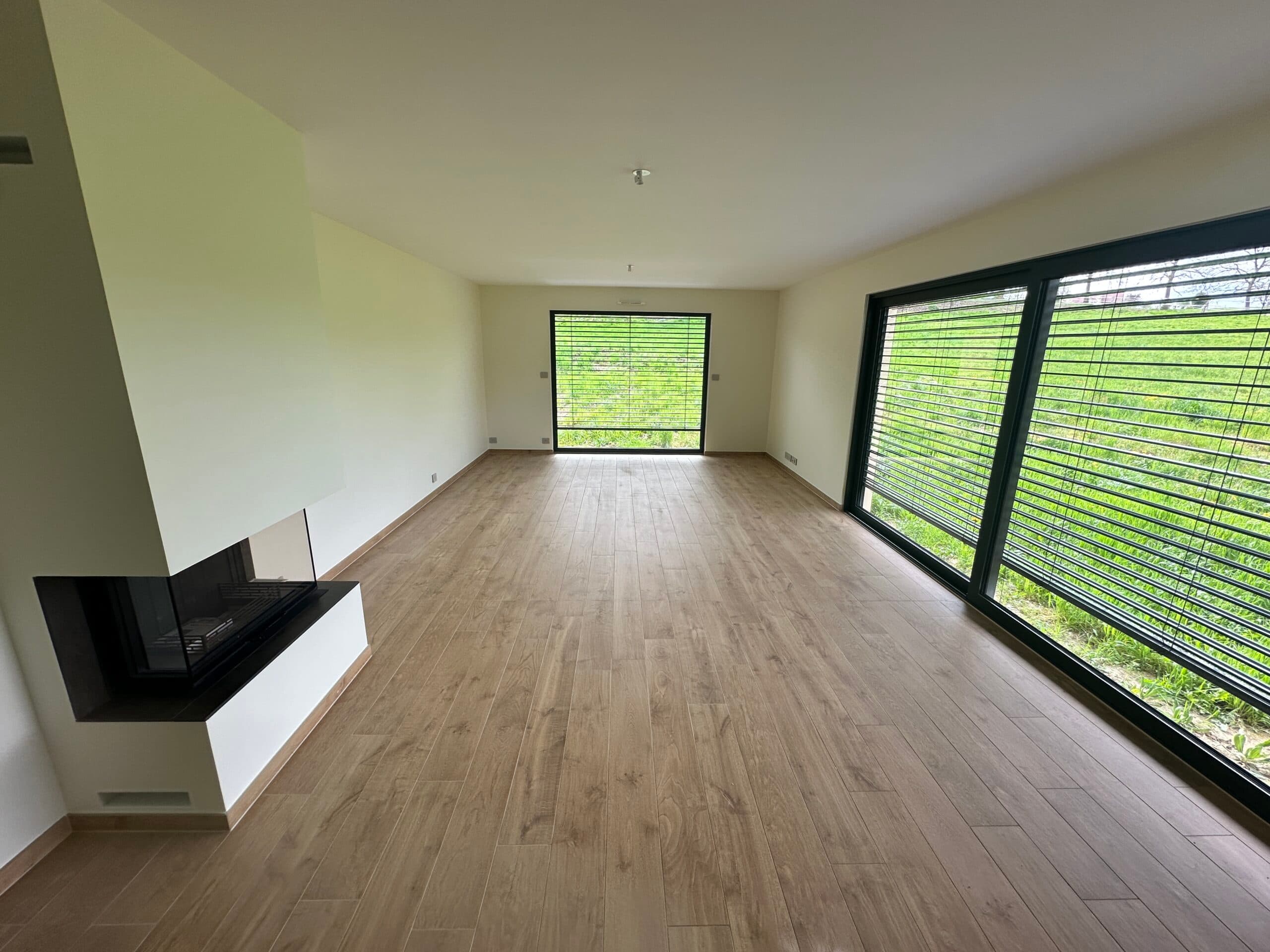 Before
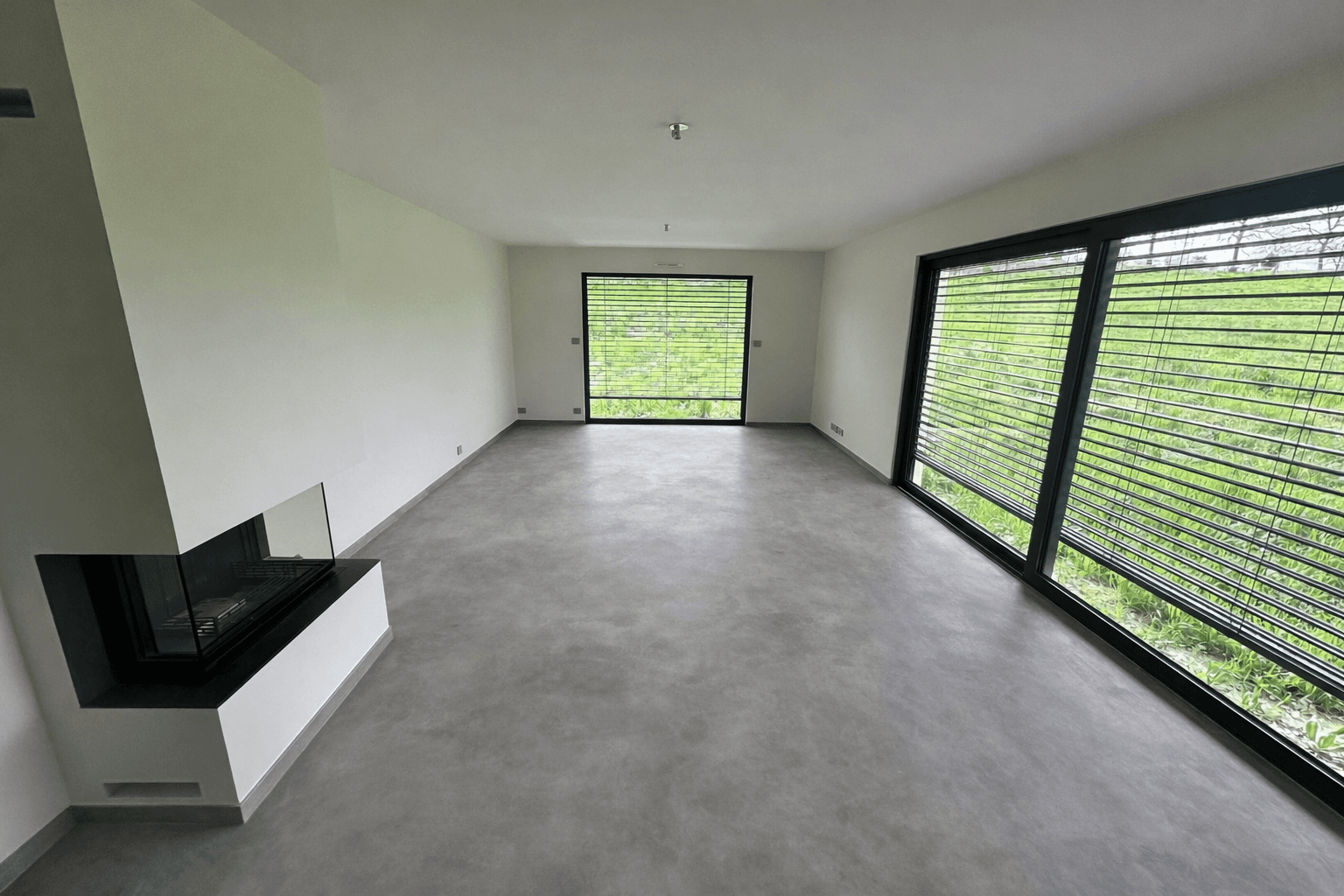 After
AfterReplace the flooring
Floor covering swapped out while the room's structure and camera angle stay fixed.
What virtual staging is
Virtual staging is the process of adding or editing furniture, finishes, and other visual details in a real estate listing photo using image-editing software instead of physical furniture. It starts from an existing photo of the room, usually empty or partially furnished, and produces a new image showing how the space could look furnished, renovated, or repaired. The room's structure, windows, and camera angle stay unchanged; only the interior elements are edited.
What you can change from a single photo
Furnish an empty room
Add furniture and decor while preserving the room's layout and camera perspective.
Declutter a lived-in room
Remove furniture and personal items while keeping walls, floors, and lighting intact.
Finish an unfinished room
Complete walls, flooring, and lighting in a room that isn't move-in ready yet.
Replace flooring
Swap the floor covering without changing the room's geometry or camera angle.
Repaint walls
Change wall color while preserving texture, shadows, and room geometry.
Enhance the sky
Replace a flat or overcast sky with a clearer one, keeping building edges natural.
Enhance the garden
Improve landscaping and greenery while preserving the property's structure.
Pricing
CasaNova Labs includes a monthly credit balance, sized on a property count at 10 photos each and spent at 1 credit per photo; credits are not tied to a given property. Annual billing charges 10 months across 12, and an optional "Plus Service" add-on is available for €33/month and can be turned on or off at any time. The launch promo code EARLY30 takes 30% off annual plans.
| Properties | Per month | Photos included | Per photo |
|---|---|---|---|
| 3 | €42/month | 30 | €1.40 per photo |
| 5 | €59/month | 50 | €1.18 per photo |
| 10 | €99/month | 100 | €0.99 per photo |
| 15 | €139/month | 150 | €0.93 per photo |
| 20 | €179/month | 200 | €0.90 per photo |
Disclosure
Most MLS boards and brokerages expect listings to note when a photo has been virtually staged, the same way a rendering or a floor plan gets labeled. Treat it as a standard step in your listing workflow, not an afterthought: add a short line such as "Virtually staged" to the photo caption or the listing description before it goes live, and confirm the exact wording your brokerage prefers. Being upfront about virtual staging keeps buyer walkthroughs straightforward and protects your listing's credibility.
Frequently asked questions
Virtual staging is the process of adding or editing furniture, finishes, and other visual details in a real estate listing photo using image-editing software instead of physical furniture. It starts from an existing photo of the room, usually empty or partially furnished, and produces a new image showing how the space could look furnished, renovated, or repaired. The room's structure, windows, and camera angle stay unchanged; only the interior elements are edited.
CasaNova Labs includes a monthly credit balance, sized on a property count at 10 photos each and spent at 1 credit per photo. Plans run from €42/month for 3 properties (30 credits, €1.40 per photo) up to €179/month for 20 properties (200 credits, €0.90 per photo). Annual billing charges 10 months across 12, and the launch code EARLY30 takes 30% off annual plans.
Most MLS boards and brokerages expect a short disclosure when a photo has been virtually staged, similar to noting a rendering or a floor plan. Add a line such as 'Virtually staged' to the photo caption or listing description before publishing, and confirm the exact wording your brokerage prefers. Being upfront protects your listing's credibility with buyers who walk through in person.
Yes. Beyond furnishing an empty room, the same single-photo workflow can declutter a lived-in room, finish an unfinished room, replace flooring, repaint walls, and enhance the sky or garden. Each edit preserves the room's original layout and camera perspective.
It works from any existing property photo, whether the room is empty, partially furnished, or fully furnished with outdated decor. The starting photo determines which edit makes sense, for example furnishing an empty room versus decluttering a lived-in one.
Both. CasaNova Labs' plans are billed monthly per number of properties, with a set number of photos included in each plan. The effective per-photo price drops as the plan size increases, from €1.40 per photo on the smallest plan to €0.90 per photo on the largest.
Virtual staging, use case by use case
Related resources
Stage your next listing from a single photo
Create an account and try virtual staging on your own listing photos, or check the full pricing breakdown first.