The Virtual Staging "App" Is Usually the Browser You Already Have
Most virtual staging tools aren't App Store downloads, they're web apps that open on your phone. Here's what to look for, which tools install and which don't, and where a browser-based one wins for an agent working on-site.
Search "virtual staging app" and you're usually asking one practical question: what can I run from the phone in my pocket to stage a listing without going back to a desk? Most of the tools that answer are not App Store downloads at all, they're web apps that open in the phone's browser, and that distinction changes what you should look for. CasaNova Labs is one of those browser-based tools: it runs on the phone you already carry, with no install, no App Store account, and no second device. This guide is honest about the trade-off, a native app can use the camera and work offline in ways a browser can't, and about where a web app wins: nothing to download, nothing to update, and the same session on your phone and your laptop.

A real CasaNova virtual staging render. The point of this guide is what produces it, a native app or a browser, runs from your phone either way.
What an agency needs to take away
Who this guide is for
Why CasaNova works as a phone-first virtual staging tool
What a virtual staging app needs to do, and how the options handle it
| Criterion | Best for | What you're trading off |
|---|---|---|
| CasaNova Labs (web app) | Agents who want to stage from the phone they already carry, with nothing to install and the same session on their laptop. | Runs in the browser, not a native App Store app, so it can't capture from the camera natively or work fully offline the way a downloaded app can. |
| Virtual Staging AI (web app) | Agents who want the most self-serve, single-room staging tool with a straightforward per-image price. | Centers on one staged room at a time, billed per image, less suited to producing a full listing's worth of photos in one place. |
| Apply Design (web app) | Agents who want one-click DIY staging on individual images without learning any editor. | Per-image billing and a one-photo-at-a-time flow; this fiche lists no fixed public price, so confirm the current rate before committing. |
| Roomagen (web app) | Agents who want to test an AI staging tool for free first, from any device, without entering a card. | The free tier ships about 3 images, watermarked, fine to judge quality, not to publish; paid tiers run $12 to $79/month at 2 credits per image. |
| Pedra (web app) | Teams for whom the lowest price per photo at volume is the only deciding variable. | €0.28 per credit on the monthly plan; self-serve with a 15-minute founder demo as the only listed support, no phone-first workflow to speak of. |
The three things people actually mean by "virtual staging app"
"App" carries three different jobs. Sorting which one you mean picks the tool faster than any rating.
"Something I can use on my phone"
You want to stage from the device in your pocket, not a desktop.
"A free app to try it"
You want to test staging before spending anything.
"An app to stage a whole listing"
You need every room in a property done, not one showcase photo.
When a native app, or a different tool, is the right call
What these tools produce, from a phone photo
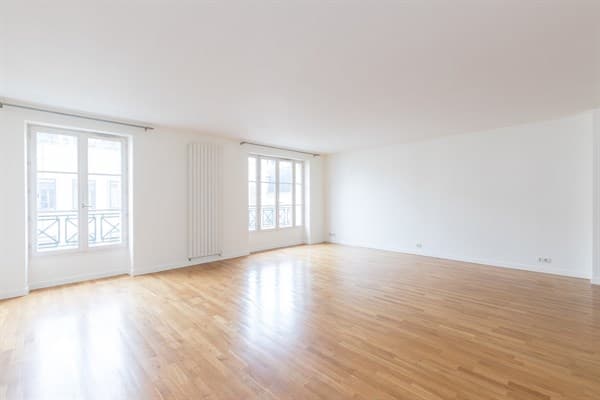
Furnishing an empty room: the job most people picture when they search for a virtual staging app, done from an uploaded photo, no physical furniture.
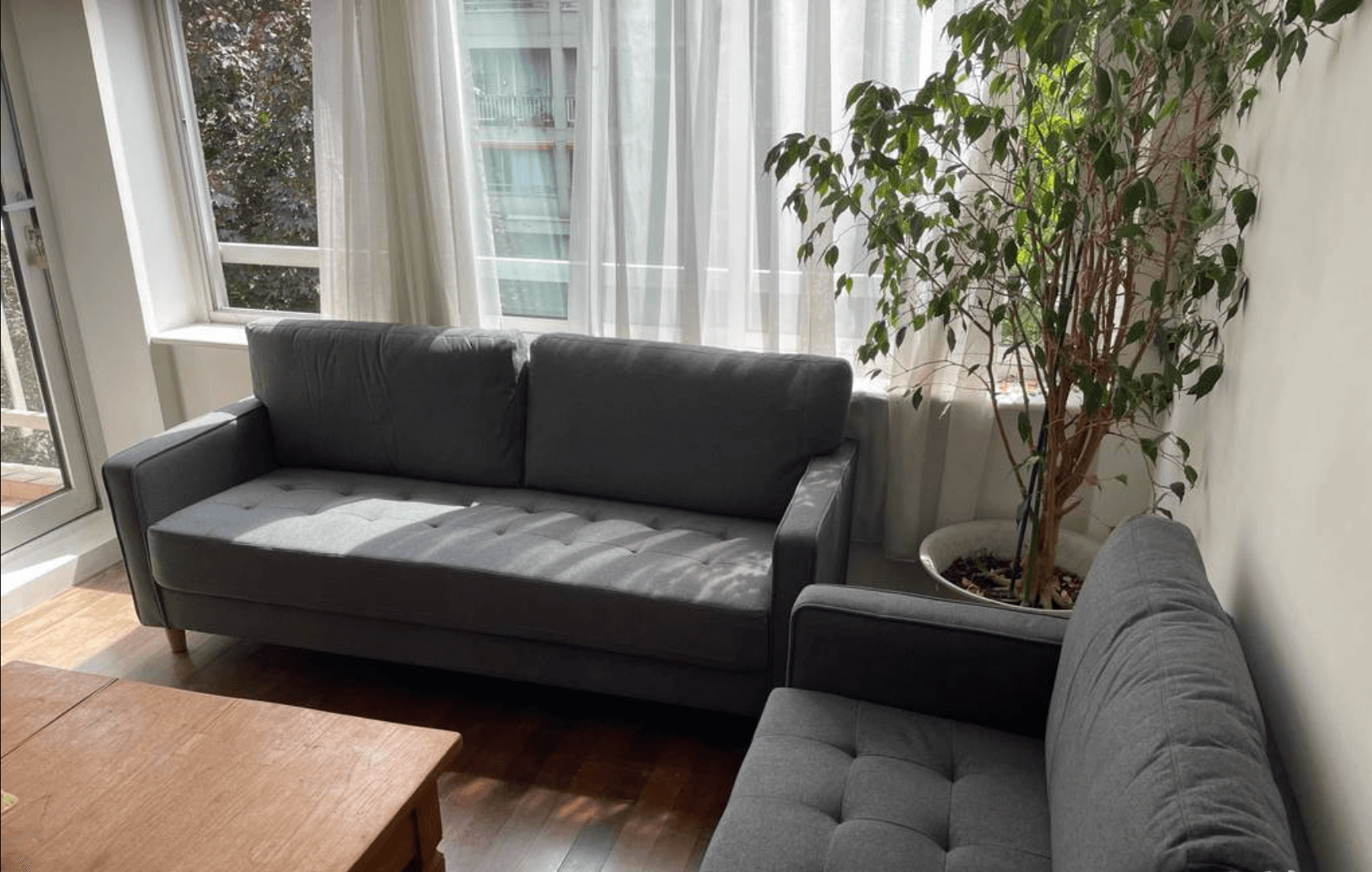

Restyling furniture already in the room: a second pass that spends a fresh credit on a per-image tool and comes out of the included photo budget on a per-property plan.
Decision-focused FAQ
Stage a listing photo from your phone, right now
No download, no App Store account. Open CasaNova on your phone, upload a real listing photo, and see the render in about 30 seconds, free for the first 10.